

A speed test number does not tell you much. What matters is whether an image opens the moment the doctor clicks on it, in the back operatory, at four in the afternoon.
Scope
Survey, install, label, document
Practices
Dental, medical, optometry, veterinary
Onsite
Greater Houston and southeast Texas
Handoff
Drop map and addressing, yours to keep
Workstations, the server, printers, and imaging equipment go on cable. Wireless is for the things that move. A wired connection keeps performing the same way even when somebody in the next suite adds an access point on the same channel.
Access points get placed for the floor plan you have. Operatory walls, lead-lined imaging rooms, and long corridors all change where coverage actually lands, so we survey the building and place them around what we find. If the back operatory has always been the weak spot, it is usually because one router at the front of the office is covering the whole space.
Guest wireless is separate from the practice network. Visitors get internet and nothing else. That is a security decision, but it is also a performance one, since a waiting room streaming video should not be sharing a lane with your imaging traffic.
Clinical systems, office systems, guest access, and anything a vendor installs each sit on their own segment. When a piece of equipment somebody else supports turns out to have a problem, the problem stays where it started instead of spreading to the machine holding patient records.
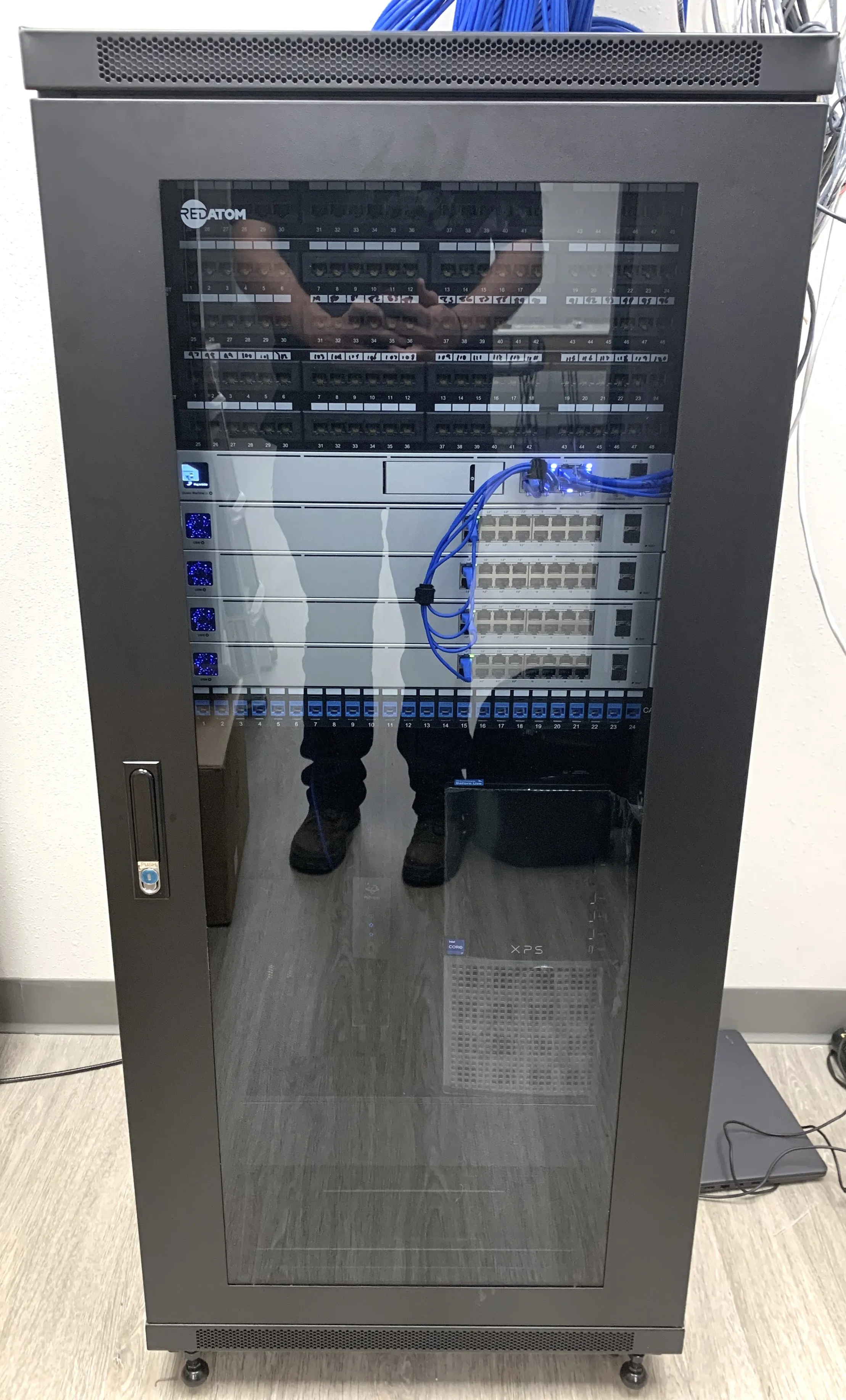
Switch ports are mapped to rooms. Access points are labeled. The addressing scheme is written down, and the documentation belongs to you. If you ever replace us, whoever comes next can pick it up in an afternoon.
Practices that cannot afford to stop can run a second connection from a different provider, so an outage on one becomes a slower morning rather than a closed one. Whether that is worth paying for depends on how much of your day depends on being online. We will look at your practice and tell you what we would do.
We are based in Katy and build networks for practices across greater Houston and southeast Texas, from Sugar Land and Richmond to League City, Baytown, and The Woodlands.
What's included
Cabled drops for workstations, server, printers and imaging
Wireless survey and access point placement
Guest network kept separate from the practice network
Segmentation for clinical, office, guest and vendor systems
Switch ports mapped to rooms, access points labelled
Addressing scheme documented and handed over
Usually paired with
Start here
Send us your floor plan, or we can walk the space with you and mark where the drops go.
Book a walkthroughWhat you are left holding
Drop map
Every switch port mapped to the room it serves
Labels
Access points and runs labelled to match the map
Addressing
The scheme written down rather than held in someone's head
Segments
Clinical, office, guest and vendor systems kept apart
Ownership
Yours. If you ever replace us, whoever comes next can pick it up in an afternoon